Project tracking that people actually update
See every project, task and deadline without chasing people
Move project plans out of scattered spreadsheets into one database where projects, tasks, owners and time entries are linked and always current.
Built for: Agencies, consultancies, internal IT and operations teams running several projects with a mixed team of staff and contractors.
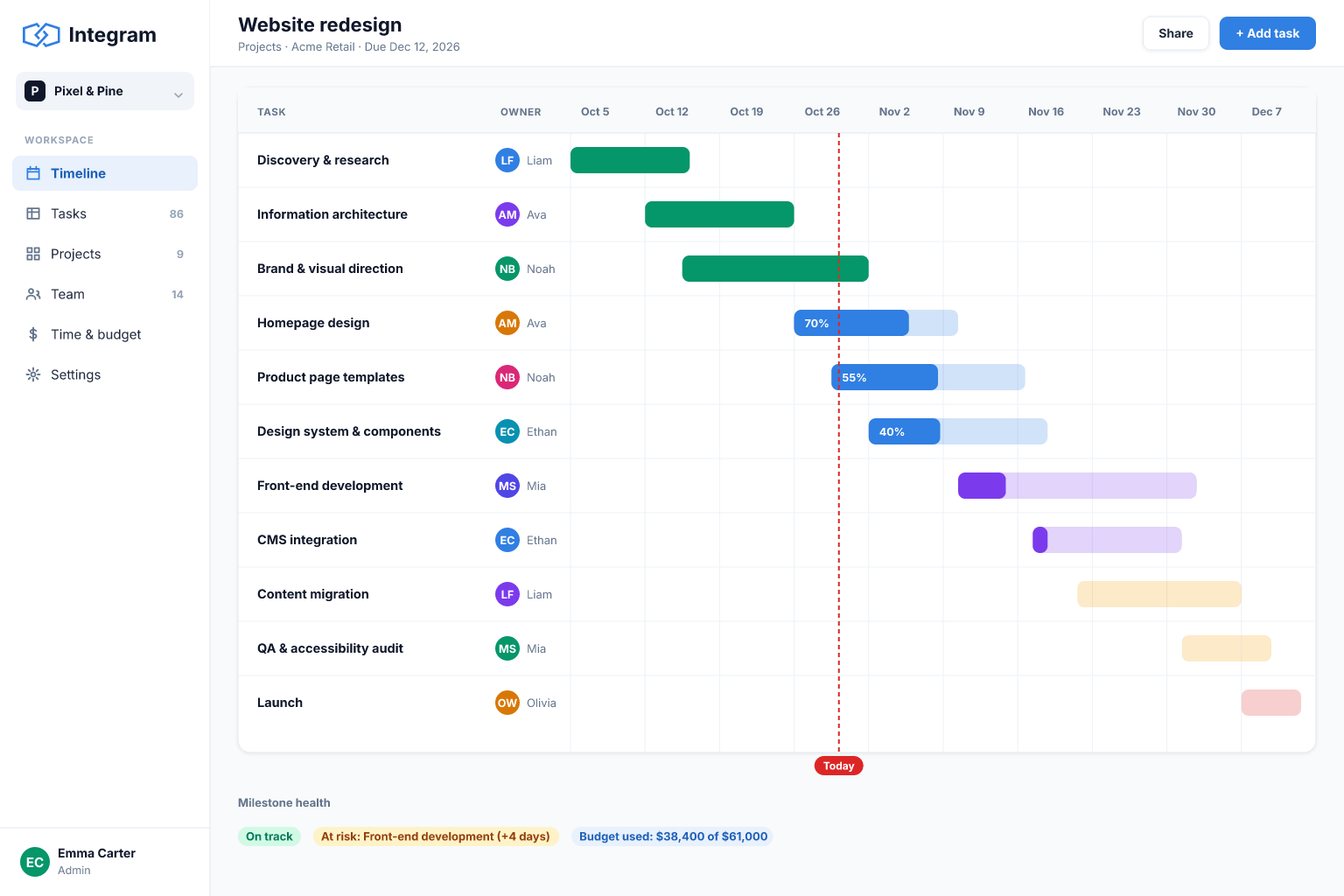
Sound familiar?
- Status lives in meetings and chat, so the plan is out of date by Wednesday.
- You cannot see one person's workload across all projects.
- Contractors and clients need partial visibility, but the plan sheet shows everything or nothing.
- Deadlines slip silently because nothing highlights overdue tasks.
- Time tracking is a separate sheet that is filled in at month end from memory.
- Reporting to clients means building a slide every week.
How Integram handles it
Projects, tasks and people as linked tables
Each task belongs to a project and an owner, so workload per person and progress per project come from the same data.
Views for each audience
A "my tasks" list for team members, a project overview for managers and a limited view for clients.
Roles and external access
Contractors see only the projects they are linked to, and clients see only their own, with permissions enforced by the platform.
Time entries linked to tasks
Log time against a task and report hours by person, project or client.
Overdue and blocked reports
A live list of overdue tasks and projects without progress, ready for the weekly meeting.
Set it up
- 1Import your task list and create Projects and People tables.
- 2Link tasks to projects and owners and define statuses.
- 3Create "my tasks", "overdue" and project overview screens.
- 4Add a time entry form and an hours-by-project report.
- 5Invite contractors and clients with limited roles.
With an AI agent
An AI agent connected via MCP or the REST API can read the task table and write a Monday status digest for each project, listing what moved, what is blocked and what is due. It can draft a client update from the same data for a project manager to review, and suggest a rebalanced assignment when one person is overloaded. As it works under a limited role, it cannot touch projects it has no access to.
Connect an agent via MCPFrequently asked questions
Is this a Gantt chart tool?
Integram focuses on structured data, lists, reports and workflows. If you need dependency-driven Gantt scheduling, a dedicated planning tool may suit you better, and you can keep project data here.
Can clients see progress?
Yes. Use roles and access rights to give clients a view limited to their own projects.
Can I track time?
Yes, with a time-entries table linked to tasks and people, and reports on the totals.
Can I import from Excel or Smartsheet?
You can import Excel or CSV files, which covers exports from most project tools.
More use cases
Custom CRM without the per-seat bill
Turn your lead spreadsheet into a real CRM with contacts, companies, deals, tasks and reports, and let your whole team and your AI agents work in it.
Inventory tracking that survives a busy week
Move your stock sheet into an inventory app with items, locations and movement history, so counts stay right even when several people are working at once.
Order management for growing small businesses
Replace the orders spreadsheet with a system that links customers, products and order lines, shows each order's status and tells you what is late.
Your spreadsheet, working as an app, today
Start free with your own file. No credit card, no sales call. If you would rather have us build it, book a demo.