Inventory tracking that survives a busy week
Know what you have, where it is and what to reorder
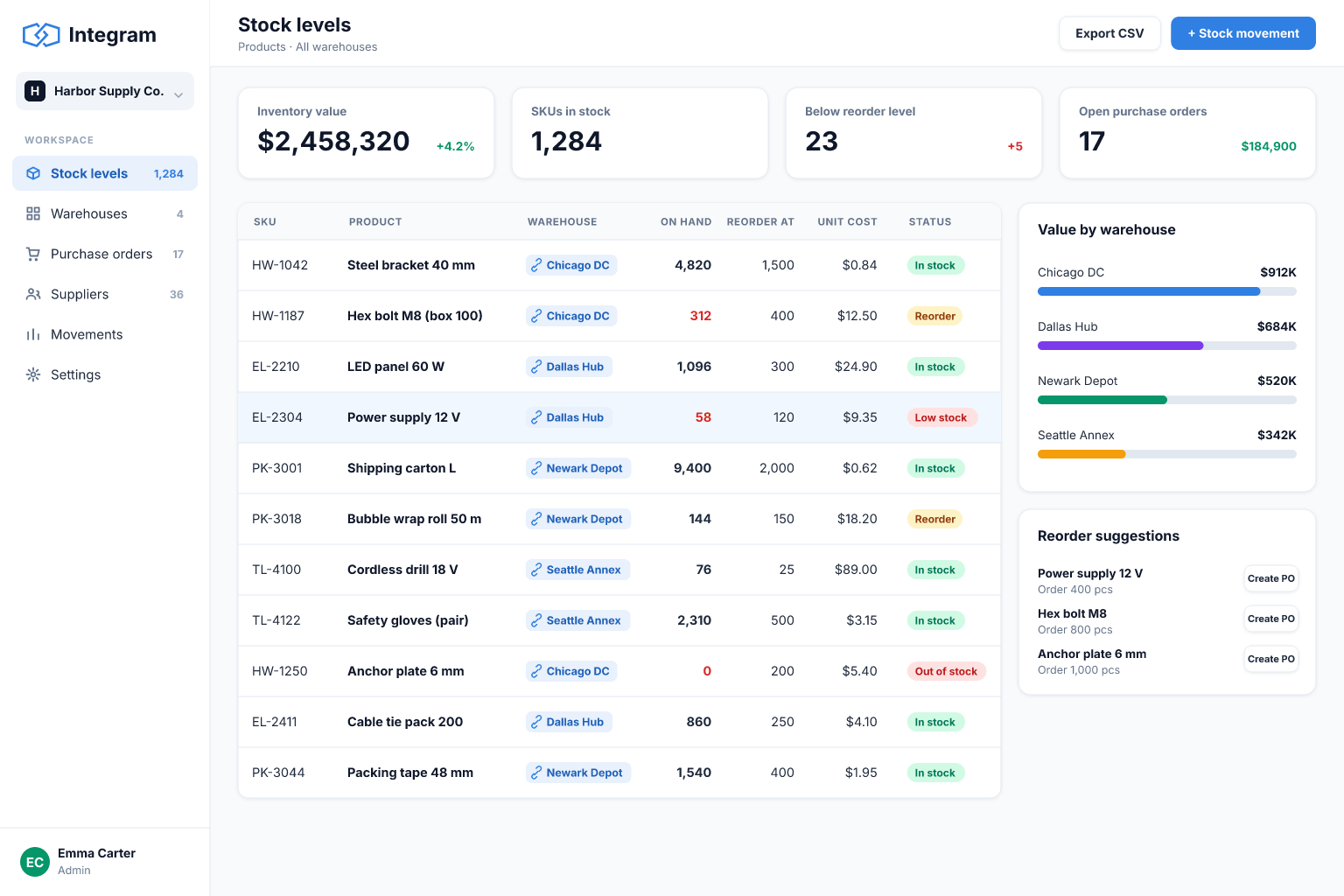
Move your stock sheet into an inventory app with items, locations and movement history, so counts stay right even when several people are working at once.
Built for: Small retailers, workshops, e-commerce sellers and light manufacturers who track stock in Excel or Google Sheets.
Sound familiar?
- Two people update the stock file at the same time and one of the changes disappears.
- Counts drift because adjustments are typed over the old number with no record of why.
- You find out about a stock-out when a customer orders, not before.
- Item names are inconsistent, so the same product has three rows.
- Staff on the floor cannot comfortably edit a big sheet on a phone.
- Nobody can answer "where did these twelve units go?".
How Integram handles it
Items, locations and movements as separate tables
Every receipt, issue and transfer is its own record linked to an item and a location, so the current balance is calculated and the history stays intact.
Simple forms for the floor
Staff use a short form on a phone to book goods in or out, with item and location chosen from lists instead of typed.
Minimum levels and exception reports
Set a reorder level per item and keep a live report of everything below it.
Roles for warehouse and office
Operators can book movements, buyers can see balances and prices, and only managers can correct counts.
File attachments
Store delivery notes, photos and supplier documents with the record they belong to.
Set it up
- 1Import your current stock sheet and turn it into an Items table.
- 2Create Locations and a Movements table linked to items and locations.
- 3Add receive, issue and transfer forms for the floor.
- 4Create a "below minimum" report and a stock-by-location view.
- 5Set roles, then run the app next to the old sheet for a week to compare totals.
With an AI agent
An AI agent connected through MCP or the REST API can check stock levels each morning, group low items by supplier and draft purchase requests for a buyer to approve. It can also reconcile a supplier's packing list against what was booked in and list the differences. With a read-mostly role it can answer questions such as "which items have not moved in 90 days?" without being able to change a balance.
Connect an agent via MCPFrequently asked questions
Does it replace a full warehouse management system?
It suits small and medium operations that need accurate counts, locations and history. Large automated warehouses with scanners and routing usually need specialist software.
Can staff use it on a phone?
Yes. Forms and lists run in a browser, so staff can book movements from a phone or tablet.
How are balances calculated?
Balances are derived from linked movement records, so you can always trace how a number came about.
Can I import my current stock?
Yes. Upload an Excel or CSV file, confirm the column types and you have an Items table.
More use cases
Custom CRM without the per-seat bill
Turn your lead spreadsheet into a real CRM with contacts, companies, deals, tasks and reports, and let your whole team and your AI agents work in it.
Order management for growing small businesses
Replace the orders spreadsheet with a system that links customers, products and order lines, shows each order's status and tells you what is late.
Project tracking that people actually update
Move project plans out of scattered spreadsheets into one database where projects, tasks, owners and time entries are linked and always current.
Your spreadsheet, working as an app, today
Start free with your own file. No credit card, no sales call. If you would rather have us build it, book a demo.