Custom CRM without the per-seat bill
A CRM shaped like your sales process, not the other way round
Turn your lead spreadsheet into a real CRM with contacts, companies, deals, tasks and reports, and let your whole team and your AI agents work in it.
Built for: Small sales teams, agencies, consultants and founders who outgrew a lead spreadsheet but do not want a heavyweight CRM.
Sound familiar?
- Leads live in three spreadsheets, an inbox and somebody's notebook, and nobody knows the true pipeline.
- Follow-ups are forgotten because nothing reminds anyone that a deal has been quiet for two weeks.
- Off-the-shelf CRMs charge per seat, so you ration access and the data goes back into spreadsheets.
- Sales reps can see every account, including ones they should not, or they see nothing useful.
- Reports are rebuilt by hand every Monday before the pipeline meeting.
- Contact details are duplicated, so the same company appears under four spellings.
How Integram handles it
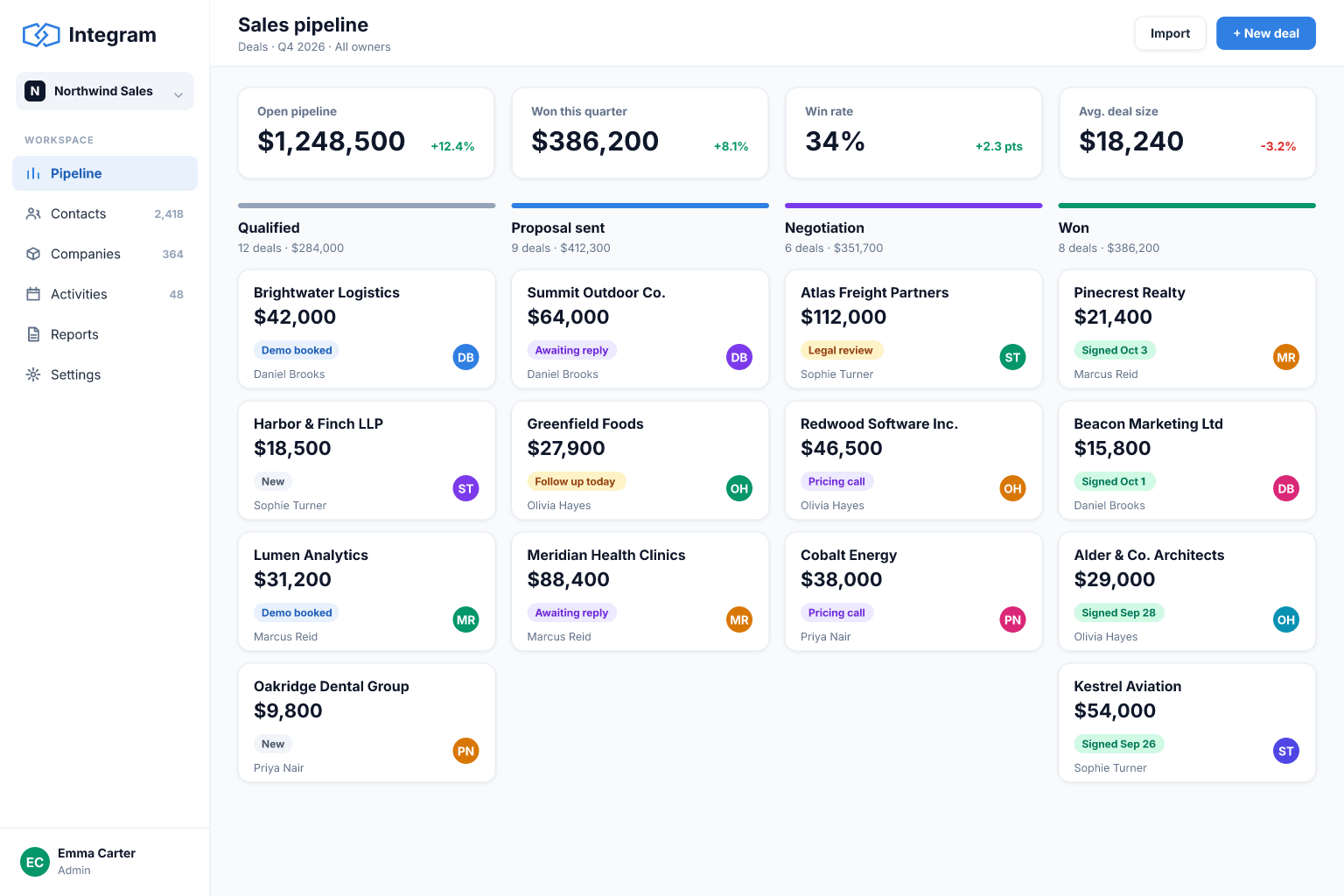
Companies, contacts and deals as linked tables
Each company is stored once, with its contacts and deals linked to it. Renaming a company or updating an address changes it everywhere.
Pipeline stages you define
Use a fixed list of stages that match your process, and filter, sort and report on them without free-text typos.
Roles and access rights
Give reps their own accounts, managers the whole team and advisers read-only reports, with permissions enforced by the platform.
Forms that create leads
Put a form on your site or share a link; new enquiries land in the leads table with the fields you chose.
Live reports
Pipeline value by stage, deals by owner and overdue follow-ups always read current data, with no weekly rebuild.
Set it up
- 1Upload your existing lead or customer spreadsheet; Integram creates a table you can adjust column by column.
- 2Split it into companies, contacts and deals and link them together.
- 3Define the pipeline stages and the fields each deal needs.
- 4Set up roles for reps, managers and read-only viewers.
- 5Add a lead form and a "follow-ups due" report, then invite the team.
With an AI agent
Through the Integram MCP server or REST API, an AI agent can act as a sales assistant with its own limited account. It can read new leads, enrich them with public company information, draft a first reply for a rep to approve, and flag deals with no activity in 14 days. Because it works under a role, it only sees the tables you allow and its changes appear in the record history, so a rep can always see what the agent touched.
Connect an agent via MCPFrequently asked questions
Can I import my existing contacts?
Yes. Upload an Excel or CSV file, review the column types, and link the contacts to companies and deals.
Do I pay for every salesperson?
Integram is priced by usage rather than by seat, so adding reps, advisers or part-time contractors does not by itself raise the price. Check the pricing page for the current plans.
Can reps see only their own deals?
Yes. Roles and access rights let you restrict what each role can view and edit, including limiting records to their owner.
Can a lead form on my website feed the CRM?
Yes. A form creates records in the leads table, and you choose which fields it asks for.
Can I connect it to my email or other tools?
Integram has a REST API, so other tools and automation services can read and write records. Check the documentation for the integrations you need.
More use cases
Inventory tracking that survives a busy week
Move your stock sheet into an inventory app with items, locations and movement history, so counts stay right even when several people are working at once.
Order management for growing small businesses
Replace the orders spreadsheet with a system that links customers, products and order lines, shows each order's status and tells you what is late.
Project tracking that people actually update
Move project plans out of scattered spreadsheets into one database where projects, tasks, owners and time entries are linked and always current.
Your spreadsheet, working as an app, today
Start free with your own file. No credit card, no sales call. If you would rather have us build it, book a demo.