For AI builders
Give your AI agent a real backend
Connect Claude, ChatGPT or your own agent to Integram through MCP or the REST API. The agent builds and runs business apps with tables, relations, users and permissions, and your team uses them in the browser.
API and MCP access are included in every plan, free included.
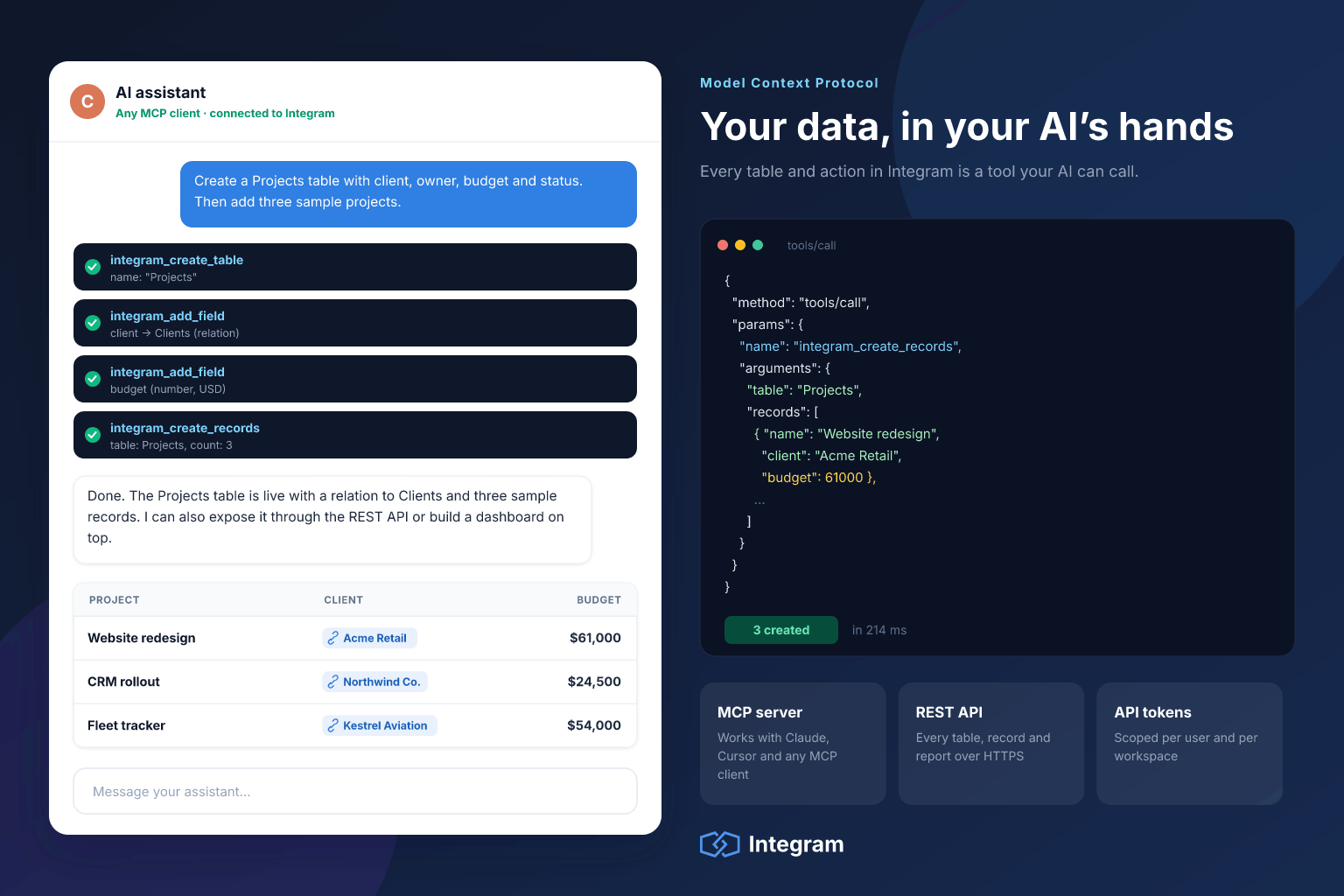
What an agent can do
The whole platform, not just a read-only data feed
Most tools give an agent a narrow window: read some rows, maybe write one. Integram exposes the same operations you have in the interface, from schema design to access rules.
- Design tables and fields from a plain-language description
- Link tables to each other and build lookups across them
- Load records from a file, a website or another system
- Create users and roles, and set who sees which rows
- Query the data and build reports
- Clean up duplicates and fix inconsistent values in bulk
Connect in three steps
From sign-up to your first agent-built table
1. Create a workspace and an agent user
Sign up free. Add a separate user for the agent and give it a role, for example full rights in a sandbox workspace or read-only access to production tables.
2. Add the Integram MCP server to your client
In Claude Desktop, Claude Code, Cursor or any MCP client, add the
integram-mcpserver from npm. Its README lists the settings for your workspace address and the agent’s credentials.3. Ask
Describe the app you need. The agent creates the tables and links, and you open the result in the browser to check it.
MCP client configuration
{
  "mcpServers": {
    "integram": {
      "command": "npx",
      "args": ["-y", "integram-mcp"]
    }
  }
}
Not using MCP? Use the REST API
Every operation is available over HTTP with a token: tables, fields, links, records, users, roles and access rules. That covers ChatGPT custom actions, n8n or Zapier HTTP steps, LangChain or LlamaIndex tools, and your own scripts.
Try asking
Things people ask their agent to do in Integram
Build a CRM from leads.xlsx: companies, contacts, deals. Sales reps see only their own deals.
Add a “Renewal date” field to Contracts and give me a report of everything renewing in the next 60 days.
Find customers that appear twice under slightly different names and merge them.
Create a read-only role for our accountant with access to Invoices and Payments only.
Import this week’s orders from the attached CSV and link each one to the right customer.
Why Integram as the backend
Vibe-coded apps are quick. Keeping them alive is the hard part.
An agent can write a CRUD app in an afternoon. Then somebody has to host it, secure it, add roles, back it up and change it every week. Integram is that part, already done.
A real database, not a JSON file
Relations, types and queries that hold up when the tool grows past a demo.
A UI for everyone else
Colleagues who never open an AI chat use the same app in the browser: tables, forms and reports.
Permissions that bind the agent
The agent is a user with a role. It cannot read or change what that role cannot.
Every change on record
Edits by people and agents land in the same audit log, so you can see who did what.
Schema changes are safe
Integram stores structure as data. A new table or field from an agent does not require a migration or downtime.
Your data, your servers
Self-host Integram and pair it with a local model when the data must not leave your network.
A sensible setup for production data
Let the agent build in a sandbox workspace with full rights. For live data, connect it as a user whose role can read everything it needs but only write to the tables you choose. Review the audit log the first few times it runs unattended.
Questions about AI and MCP
Which AI tools can connect to Integram?
Any client that speaks the Model Context Protocol, such as Claude Desktop, Claude Code or Cursor, through the Integram MCP server. Anything that can make HTTP requests, including ChatGPT custom actions and agent frameworks, can use the REST API.
Can the agent break my data?
The agent works with the permissions of the account you connect, so it cannot touch tables or rows that account cannot. Create a dedicated user for the agent and give it only the role it needs. Every change is recorded in the audit log.
Does Integram send my data to an AI model?
Not by itself. Data reaches a model only when you connect an agent and it reads the data. With a self-hosted Integram and a local model, nothing leaves your network.
Do agent requests cost extra?
Each operation the agent performs counts as an action, exactly like the same operation done by a person. Your model provider bills its own usage separately.
Connect your agent to a real backend
Free plan includes API and MCP access. Sign up with email, Google or GitHub and connect your first agent in minutes.