Order management for growing small businesses
From enquiry to delivery, every order in one place
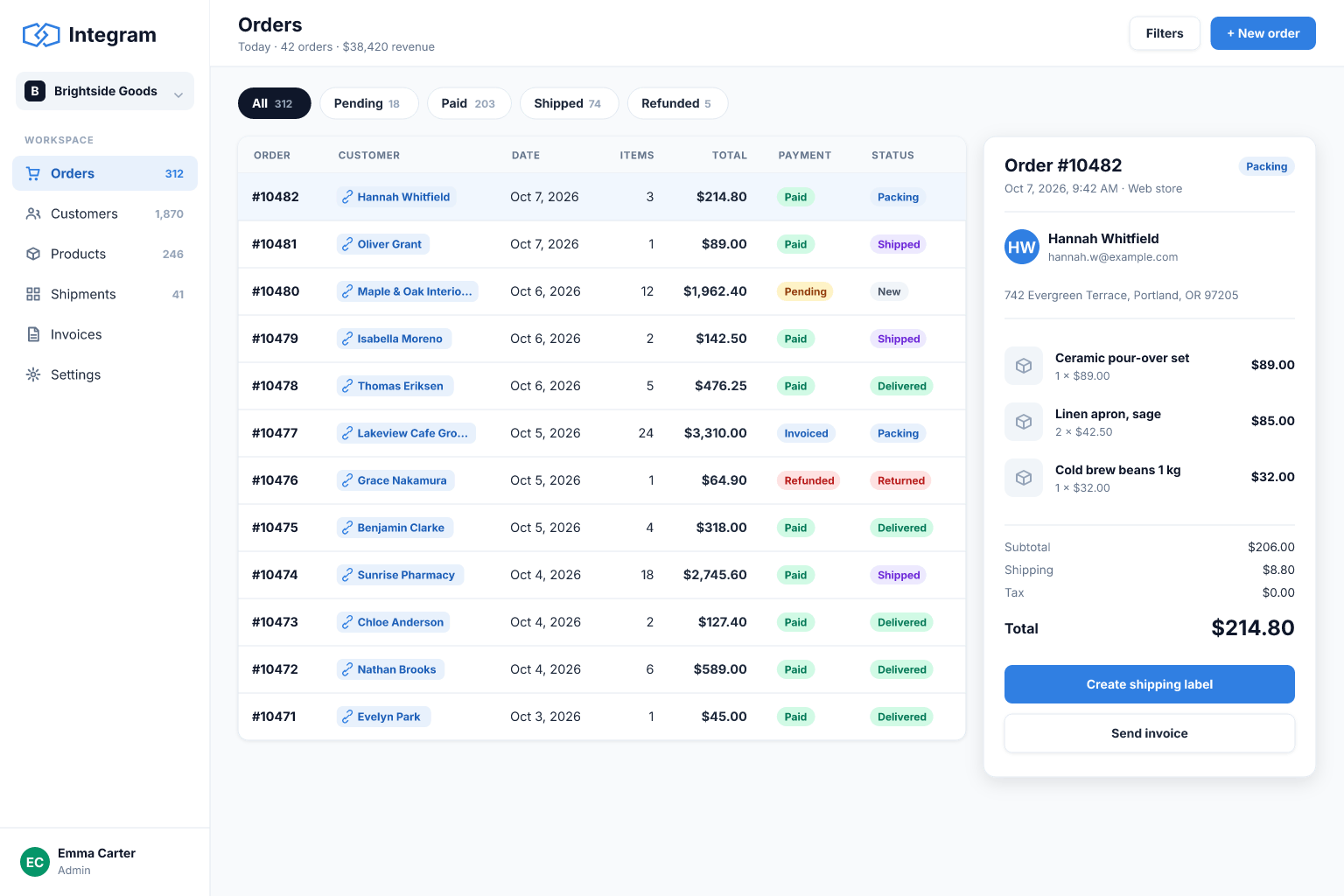
Replace the orders spreadsheet with a system that links customers, products and order lines, shows each order's status and tells you what is late.
Built for: Made-to-order businesses, distributors, service sellers and online shops that process orders by hand.
Sound familiar?
- Orders arrive by email, chat and phone, and get typed into a sheet later, if at all.
- Customer details are retyped on every order and drift out of sync.
- It is hard to tell which orders are waiting, in progress or late.
- Prices and totals are calculated by formulas that someone occasionally overwrites.
- Production, packing and invoicing teams each keep their own copy of the order list.
- Month-end reporting means copying figures between files.
How Integram handles it
Customers, products, orders and lines
Orders link to a customer and contain lines that link to products, so prices and totals come from one source.
A status for every step
Define statuses such as New, Confirmed, In production, Shipped and Paid, and give each team a queue of the orders waiting for it.
Order intake forms
Staff or customers submit orders through forms that validate required fields before a record is created.
Reports on what matters
Orders late, revenue by month, top customers and unpaid orders are reports that always show current data.
Roles per team
Sales can create orders, production can update status, finance can see totals, and nobody edits what they should not.
Set it up
- 1Import your orders sheet and separate customers, products and order lines.
- 2Define order statuses that mirror how work really flows.
- 3Build an order form and a work queue for each team.
- 4Add reports for late and unpaid orders.
- 5Set roles, invite the team and retire the shared sheet.
With an AI agent
An AI agent with access through MCP or the REST API can turn an incoming email into a draft order for a human to confirm, check it against product records and flag missing details. It can send a daily summary of late orders to a manager and answer questions such as "what is still unshipped for customer X?" using live records. Its role limits what it can change, and every edit is visible in the history.
Connect an agent via MCPFrequently asked questions
Can customers place orders themselves?
You can publish a form that creates orders or requests in your database. For logged-in customer views, use roles and access rights to limit each customer to their own records.
Does it generate invoices?
Integram stores the data and reports you need for invoicing. Document generation and accounting integrations can be built through the API; confirm your specific requirements before relying on them.
Can I handle different prices per customer?
Yes, by modelling price lists as their own table linked to customers and products.
What if I already have thousands of orders?
Import them from Excel or CSV. Data is stored in a database, not in a grid, so volume is not limited by spreadsheet row counts.
More use cases
Custom CRM without the per-seat bill
Turn your lead spreadsheet into a real CRM with contacts, companies, deals, tasks and reports, and let your whole team and your AI agents work in it.
Inventory tracking that survives a busy week
Move your stock sheet into an inventory app with items, locations and movement history, so counts stay right even when several people are working at once.
Project tracking that people actually update
Move project plans out of scattered spreadsheets into one database where projects, tasks, owners and time entries are linked and always current.
Your spreadsheet, working as an app, today
Start free with your own file. No credit card, no sales call. If you would rather have us build it, book a demo.