Employee onboarding checklists that do not get lost
Every new hire gets the same great first week
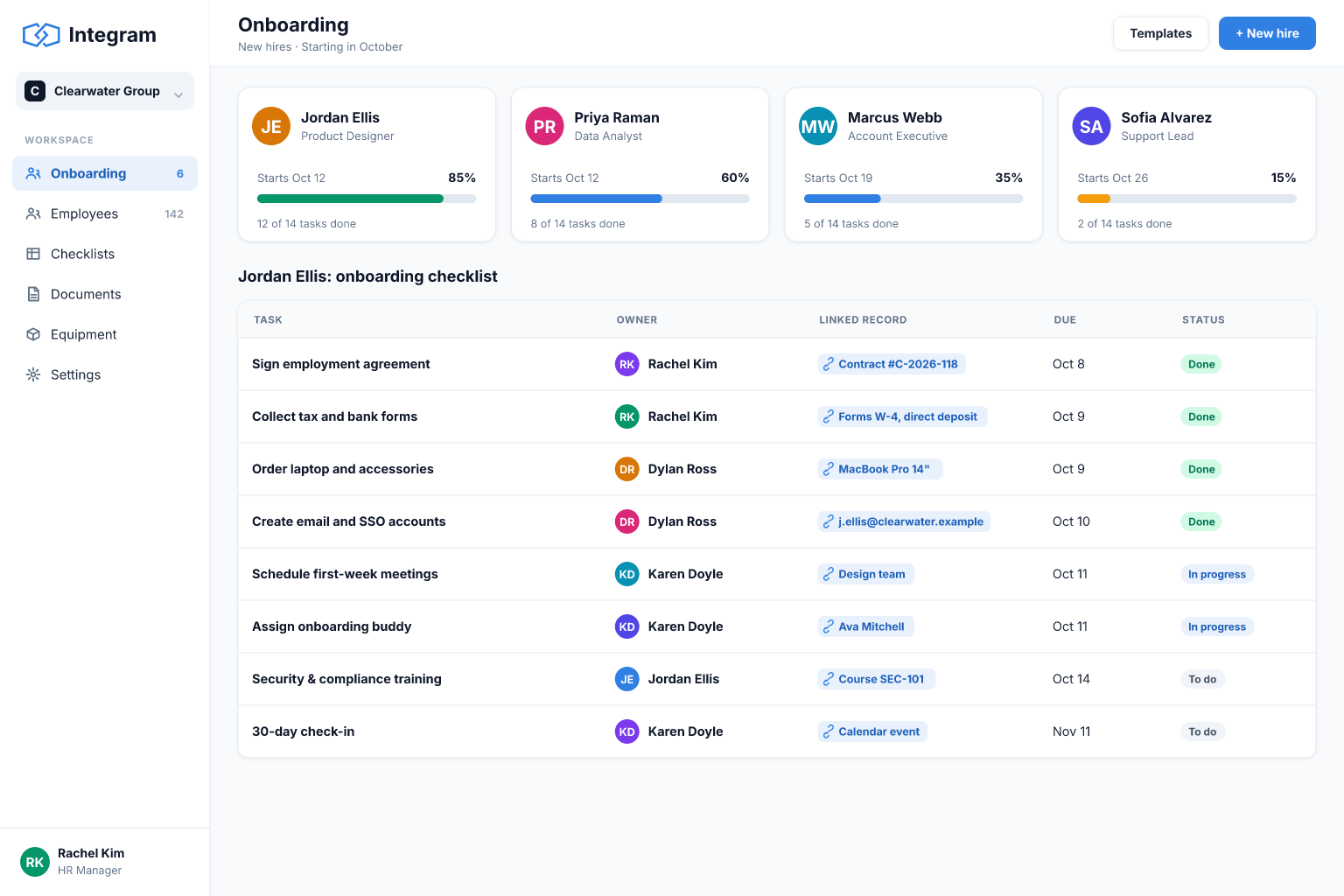
Turn the onboarding checklist spreadsheet into a process: tasks assigned to the right owners, due dates, documents and a clear view of where each person stands.
Built for: HR managers, office managers and small-business owners who hire a handful of people a year and want consistency.
Sound familiar?
- Onboarding steps live in a document that is copied and edited for every hire.
- IT, finance and the manager each assume someone else is setting things up.
- Nobody knows which new hire is still waiting for a laptop or a contract.
- Sensitive employee data sits in a sheet many people can open.
- Offboarding is forgotten, and access stays open after people leave.
- You cannot show whether the process is getting faster or slower.
How Integram handles it
Employees and task templates
Keep a template checklist per role or department and generate the tasks for each new hire from it.
Owners and due dates for every task
IT, finance, the manager and HR each see their own list of what to do before the start date.
Private HR data with strict access
Contracts, personal details and documents are visible only to roles that need them, using access rights on tables and fields.
Document storage
Attach signed forms and ID copies to the employee record rather than emailing them around.
Progress reports
See who has completed what, which steps are late and how long onboarding takes on average.
Set it up
- 1Import your employee list and your current checklist.
- 2Create a Tasks table and a template per role.
- 3Build a "new hire" form that creates the employee and generates their tasks.
- 4Give each department a list of its open tasks.
- 5Restrict HR data to HR and set up an offboarding checklist the same way.
With an AI agent
An AI agent with a narrow role can answer new hires' routine questions from the onboarding records ("who do I ask about expenses?") and remind task owners about items due this week. HR can have the agent draft a welcome message from the employee record. Because the platform enforces access rights, you can keep sensitive tables entirely out of the agent's reach and review its actions in the history.
Connect an agent via MCPFrequently asked questions
Is employee data kept private?
You control access by role and can keep sensitive tables and fields visible only to HR. You can also host the platform on your own server if policy requires it.
Can I reuse a checklist for every hire?
Yes. Keep templates as records and create a copy of the tasks for each new employee.
Can the new hire fill in forms themselves?
Yes. A form can collect details and documents from the new hire before day one.
Does it replace an HR information system?
It covers onboarding, offboarding and HR requests. Payroll and legal compliance tools are outside its scope.
More use cases
Custom CRM without the per-seat bill
Turn your lead spreadsheet into a real CRM with contacts, companies, deals, tasks and reports, and let your whole team and your AI agents work in it.
Inventory tracking that survives a busy week
Move your stock sheet into an inventory app with items, locations and movement history, so counts stay right even when several people are working at once.
Order management for growing small businesses
Replace the orders spreadsheet with a system that links customers, products and order lines, shows each order's status and tells you what is late.
Your spreadsheet, working as an app, today
Start free with your own file. No credit card, no sales call. If you would rather have us build it, book a demo.