Field service management for small crews
Dispatch jobs, capture proof of work and close the loop on site
From service request to completed job: assign technicians, let them update jobs from a phone with notes and photos, and see what is open at a glance.
Built for: Installers, repair and maintenance companies, cleaning and inspection services with a small crew in the field.
Sound familiar?
- Requests come in by phone and message and are written on paper or in someone's notes.
- Dispatching is done from memory and a shared calendar.
- Technicians report back by chat or at the end of the week, so billing is delayed.
- Customer history is not available on site when the same issue returns.
- Photos of the work sit in personal phone galleries.
- It is hard to know which jobs are late or unassigned.
How Integram handles it
Requests, jobs and technicians
Requests become jobs linked to a customer, a site and a technician, with a status that follows the work.
Mobile-friendly job screen
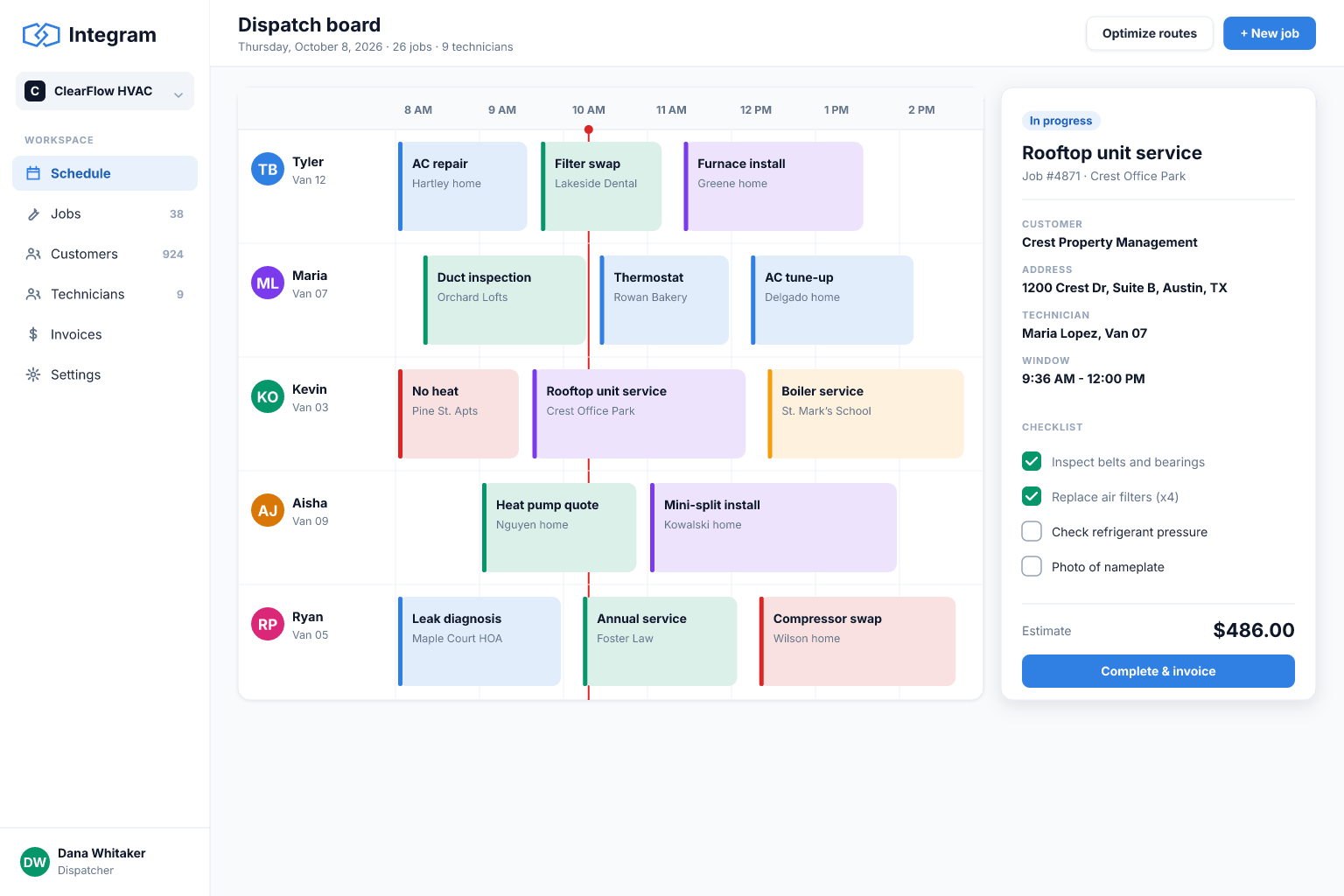
Technicians open "my jobs today", add notes, tick a checklist, attach photos and mark the job done from a phone.
Customer and site history
See previous jobs, equipment installed and notes for the same location before the visit.
Dispatcher view
A live list of new, unassigned, in-progress and late jobs, so nothing sits unnoticed.
Billing-ready reports
Completed jobs with time, materials and photos in one report for invoicing.
Set it up
- 1Set up Customers, Sites, Technicians and Jobs tables.
- 2Create a public or internal request form that creates jobs.
- 3Build a dispatcher queue and a technician job screen.
- 4Add fields for checklists, materials, time and photo attachments.
- 5Create a completed-jobs report for invoicing and train the crew on a few real jobs.
With an AI agent
An AI agent connected via MCP or the REST API can read an incoming request, classify its urgency, propose a technician based on skills and open workload, and draft the confirmation message for the dispatcher to approve. After a job, it can turn a technician's rough notes and photos into a clean summary for the customer. Role-based access keeps it to the job tables, with every change visible in the history.
Connect an agent via MCPFrequently asked questions
Does it work offline?
Integram is a web application and works best with a connection. Check current offline capabilities before depending on them in areas without coverage.
Can technicians upload photos?
Yes, files can be attached to job records from a phone browser.
Does it do route optimization?
No. It organizes jobs, assignments and records. Route planning would need a separate tool connected through the API.
Can customers book through a form?
Yes. A request form can create jobs in your queue with the fields you choose.
More use cases
Custom CRM without the per-seat bill
Turn your lead spreadsheet into a real CRM with contacts, companies, deals, tasks and reports, and let your whole team and your AI agents work in it.
Inventory tracking that survives a busy week
Move your stock sheet into an inventory app with items, locations and movement history, so counts stay right even when several people are working at once.
Order management for growing small businesses
Replace the orders spreadsheet with a system that links customers, products and order lines, shows each order's status and tells you what is late.
Your spreadsheet, working as an app, today
Start free with your own file. No credit card, no sales call. If you would rather have us build it, book a demo.