A client portal without building a website
Let clients see their own status instead of emailing you for it
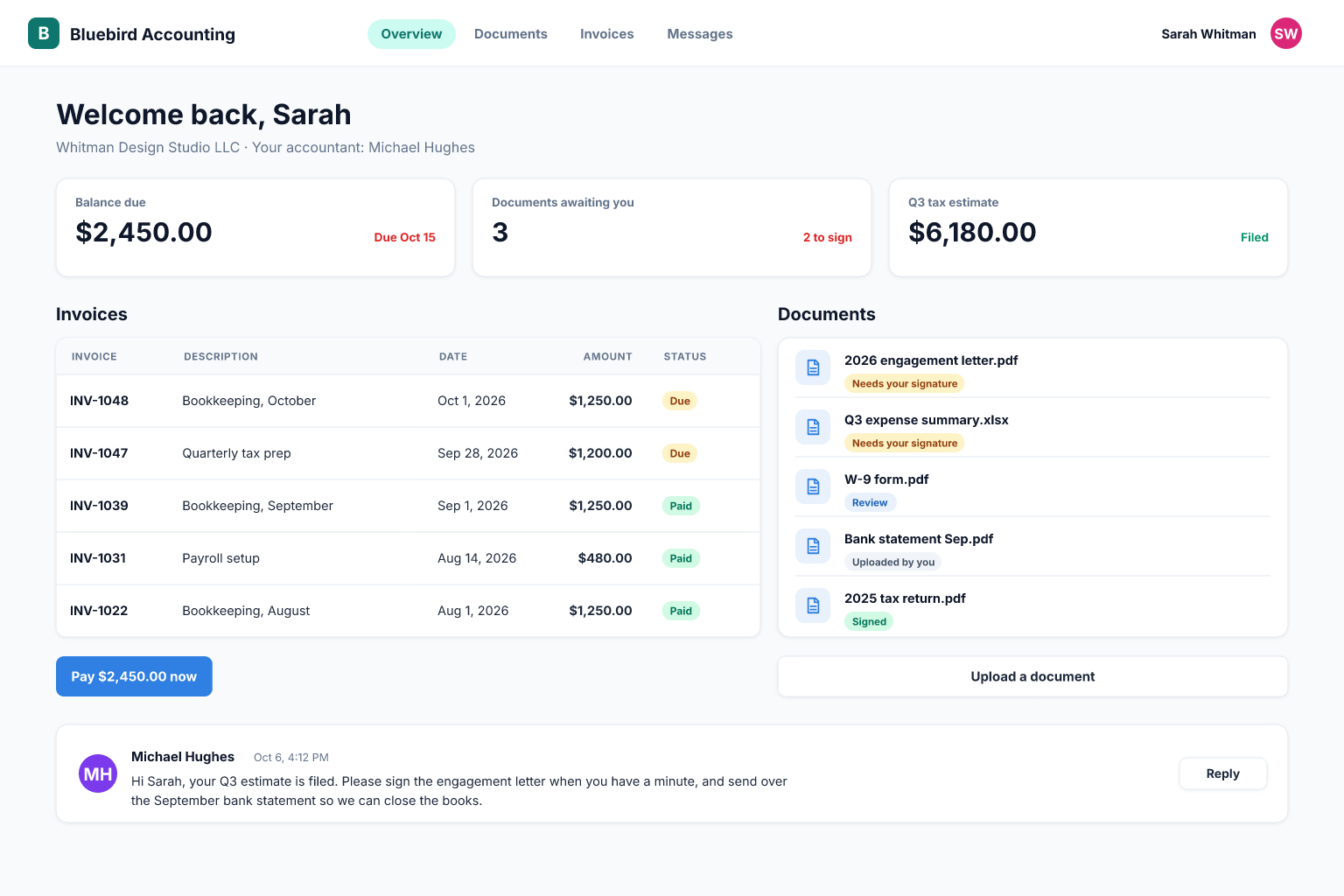
Share exactly the records and documents each client should see, accept requests through forms, and stop answering "where are we with this?" emails.
Built for: Agencies, accountants, installers, consultants and suppliers who manage many clients and want fewer status calls.
Sound familiar?
- Clients email for status updates that you already have in a spreadsheet.
- Documents travel by email attachments and nobody finds the latest version.
- Sharing a spreadsheet link exposes more than one client's data, or requires a separate copy per client.
- Requests arrive in chat, email and phone calls and get lost.
- You cannot show a client a history of what was done and when.
- Per-seat tools make it expensive to give every client contact an account.
How Integram handles it
Per-client access rights
Each client user sees only the projects, orders and documents linked to their company.
A request form
Clients submit requests that land in your queue with the right client and category attached.
Shared documents
Publish files, reports and approvals to a client's record, keeping internal notes separate.
Status the client can follow
Show stage, next step and date for each job, drawn from the same data your team updates.
Internal and external fields
Mark which columns are visible to clients so cost, margins and internal comments stay private.
Set it up
- 1Model Clients, Projects (or Orders) and Documents as linked tables.
- 2Create a client role and restrict it to records linked to the client's company.
- 3Choose which fields and documents are visible to clients.
- 4Add a request form for the client to use.
- 5Invite a pilot client, check what they see, then roll out.
With an AI agent
An AI agent connected via MCP or the REST API can triage incoming client requests, categorize them, link them to the right client and project, and draft an acknowledgement for your team to send. It can also assemble a weekly client summary from project records. The agent works under a staff-side role, never as a client, and its drafts are reviewed before anything customer-facing goes out.
Connect an agent via MCPFrequently asked questions
Do clients need an account?
Clients who log in to view their records need a user account with a restricted role. Public request forms do not require one.
Will clients see other clients' data?
No, if you set the access rights as described. Test by opening the portal as a client user before inviting anyone.
Can I brand it with my logo?
Branding options depend on your plan and setup; ask us what is available for your use.
Does adding clients increase the price?
Integram is priced by usage, not by seat, so more client users do not by themselves raise the price. See the pricing page for plan details.
More use cases
Custom CRM without the per-seat bill
Turn your lead spreadsheet into a real CRM with contacts, companies, deals, tasks and reports, and let your whole team and your AI agents work in it.
Inventory tracking that survives a busy week
Move your stock sheet into an inventory app with items, locations and movement history, so counts stay right even when several people are working at once.
Order management for growing small businesses
Replace the orders spreadsheet with a system that links customers, products and order lines, shows each order's status and tells you what is late.
Your spreadsheet, working as an app, today
Start free with your own file. No credit card, no sales call. If you would rather have us build it, book a demo.